Call a person
- Money, like a refund or a payout.
- Deletes, like a customer record.
- Sending, like an email or Slack message to a customer.
- Production or taste, like a live migration or a headline.
Free beta · works with any MCP client
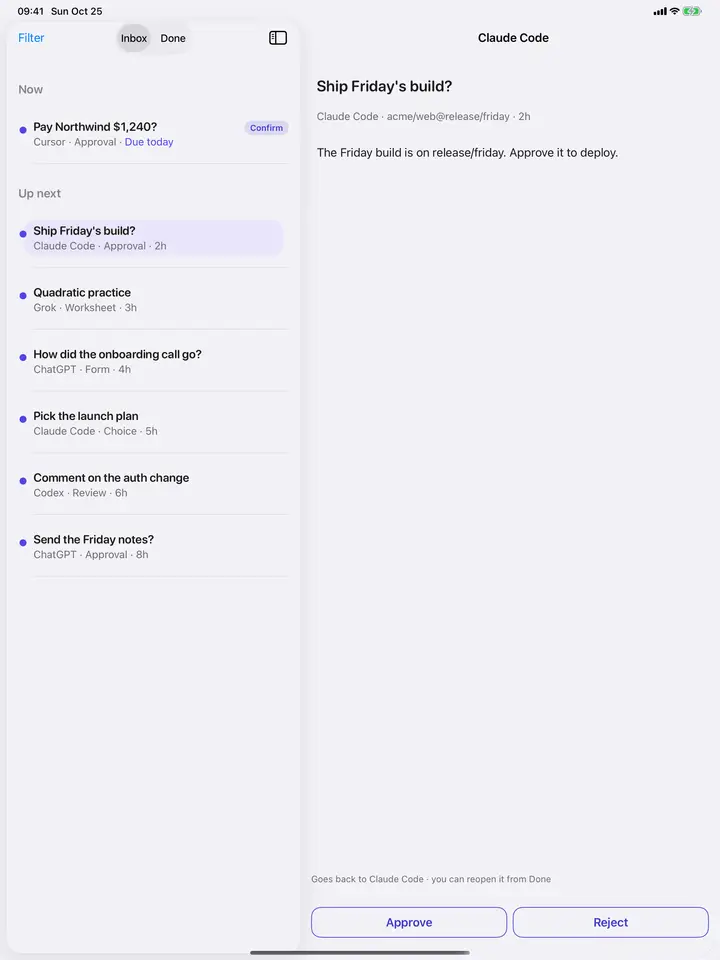
Any AI agent, from any provider, can ask you a question. It shows up on your iPhone or iPad as the right UI for the job, whether that's a quick reply, a form, a review or a Pencil sketch. Your answer goes back to the agent that asked.
claude mcp add --transport http invoke-human https://invokehumantool.com/mcp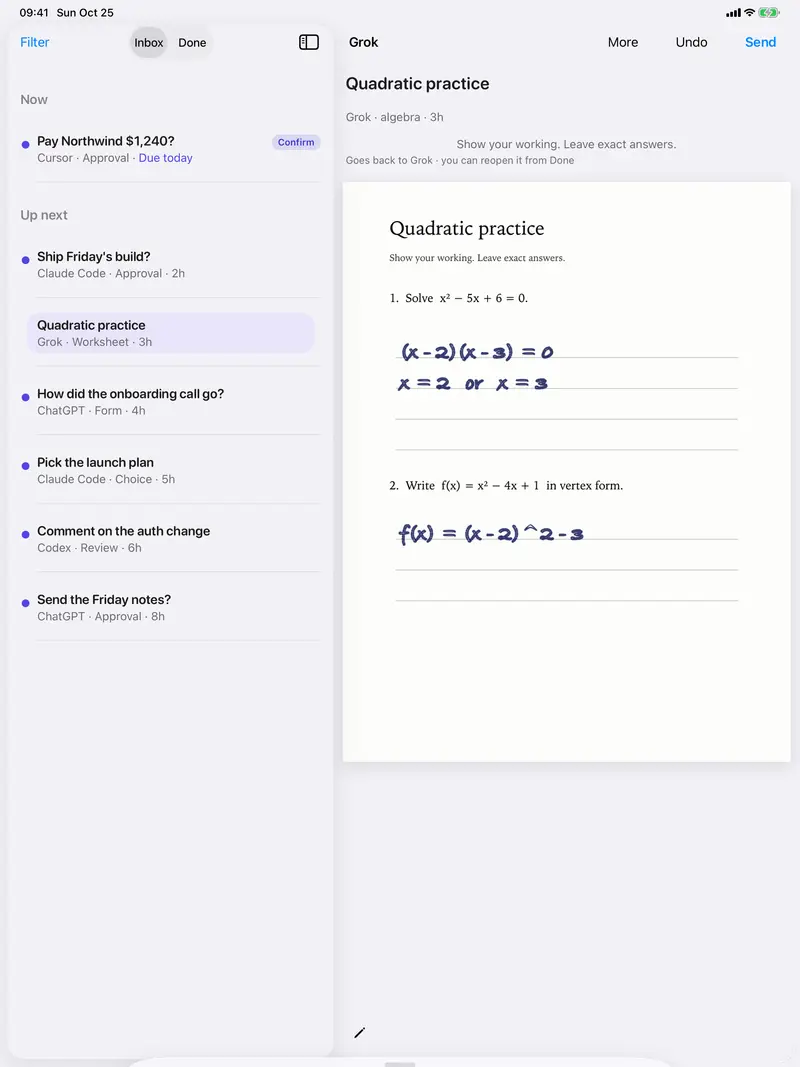
Agents handle most steps on their own. They should call you when a step moves money, deletes something, sends to people or touches production. They should also call you when it needs your taste, your intent or a fact only you know.
Each card opens into the handoff it describes.
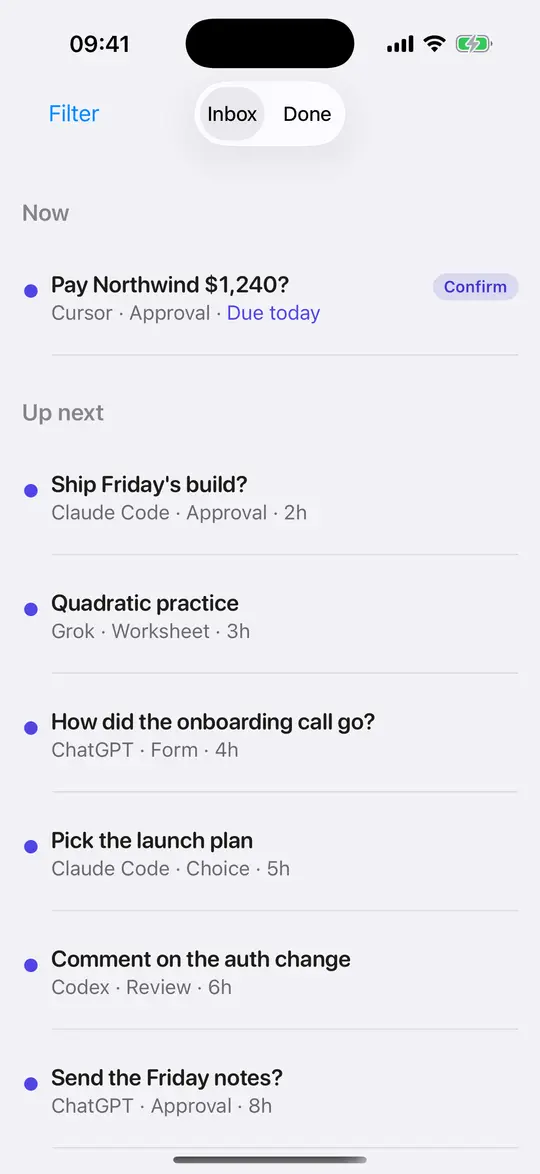
Pick a type to see it on a device. Each one comes back to the agent as an answer it can use.
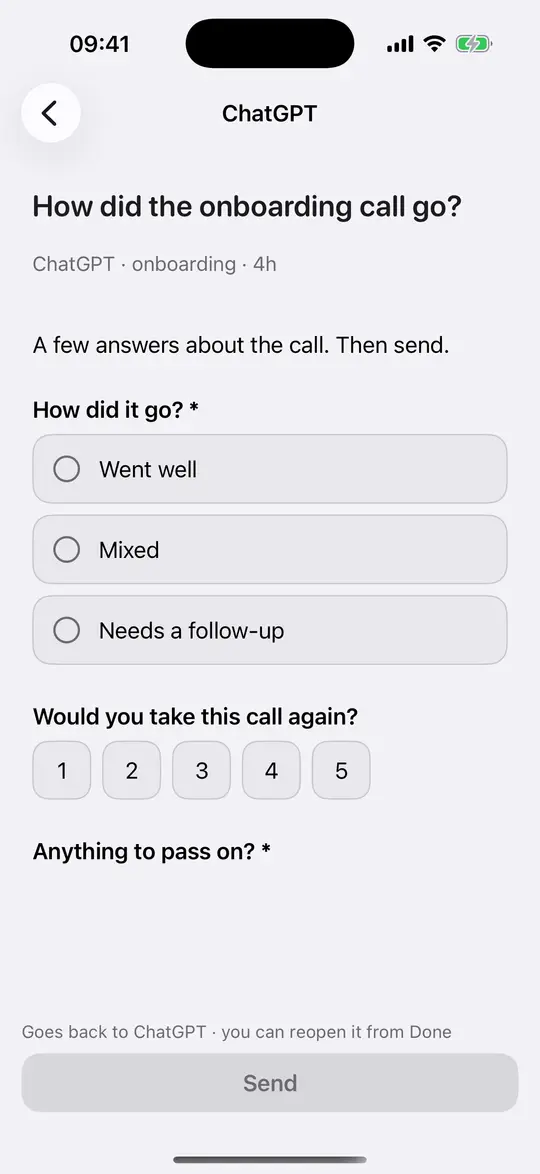
Fields the agent built for this task. You fill them in on the card.
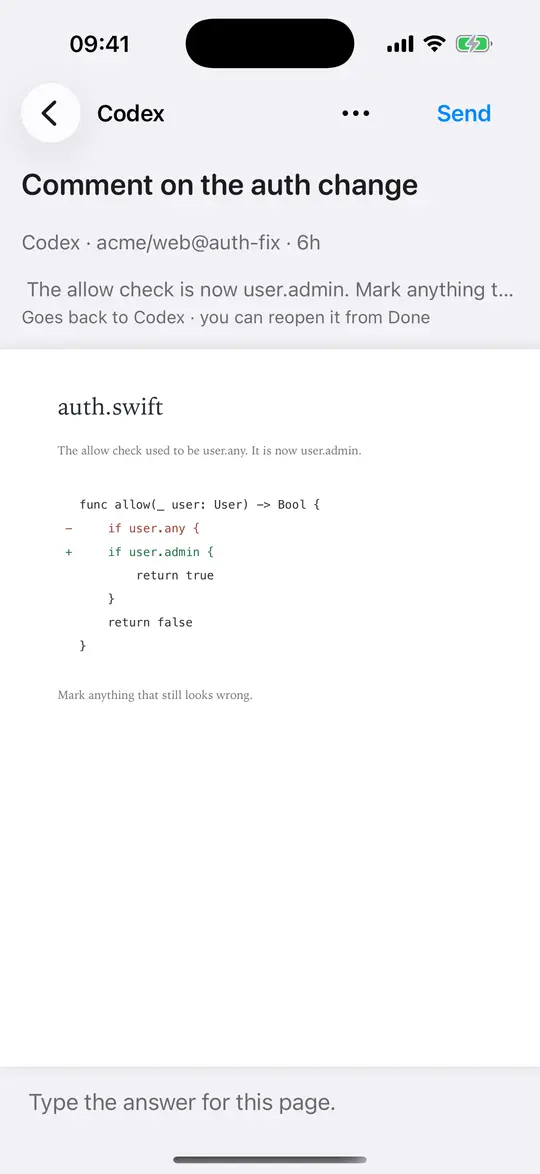
A diff or a draft to read, with room to mark what still looks wrong.
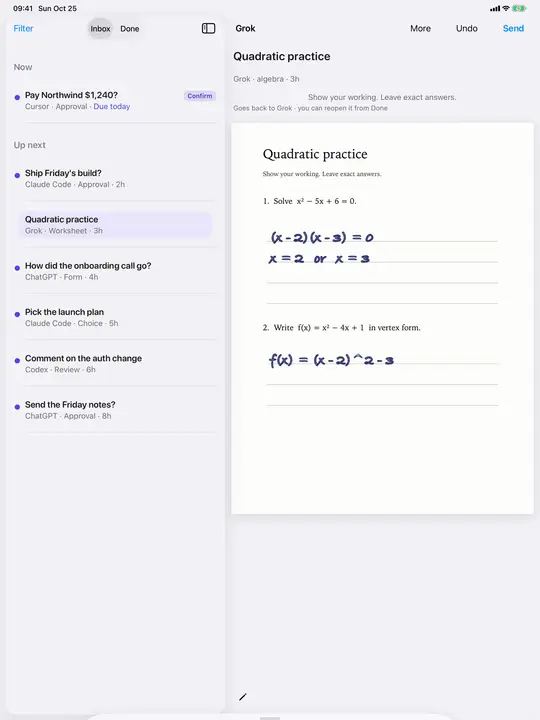
Write or sketch on iPad. The agent gets the page and the recognized handwriting.
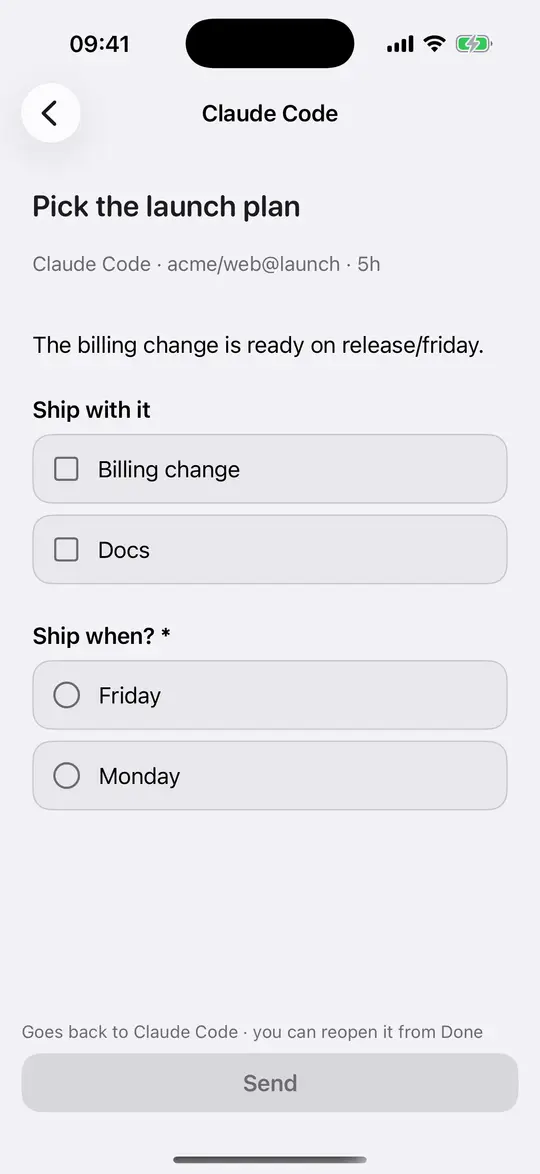
A page the agent composed, with choices you tap.
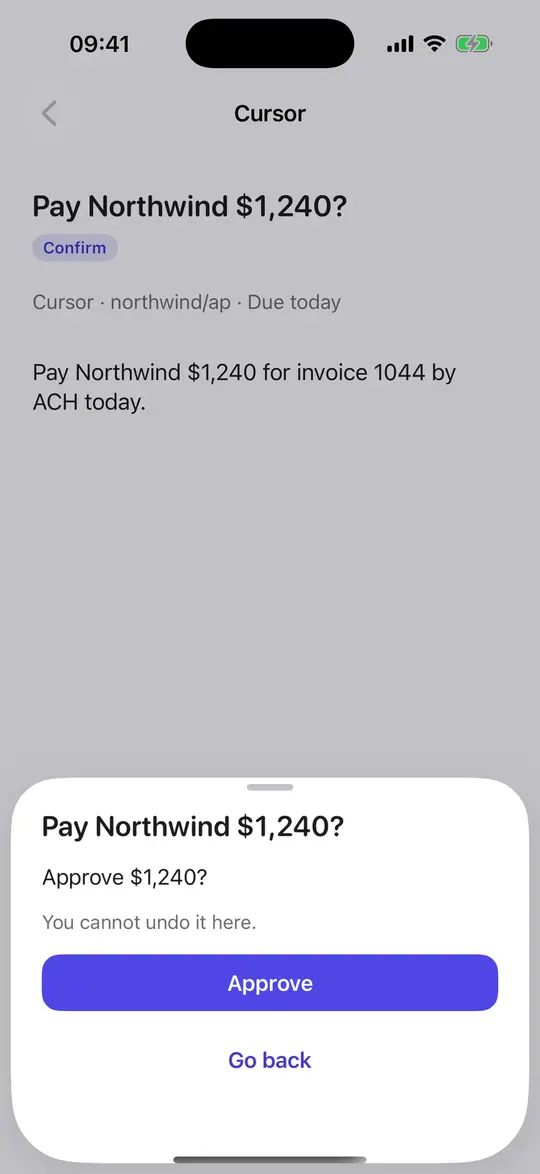
Approvals are one example. The agent says what happens on yes, and nothing is sent, paid, published, signed or deleted until you answer.
A charge or a refund waits on a confirm sheet until you answer.
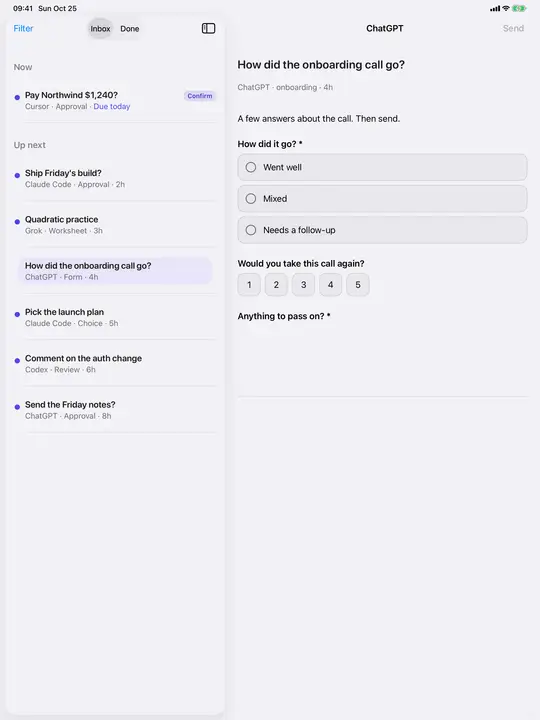
Fields the agent built for this task. You fill them in on the card.
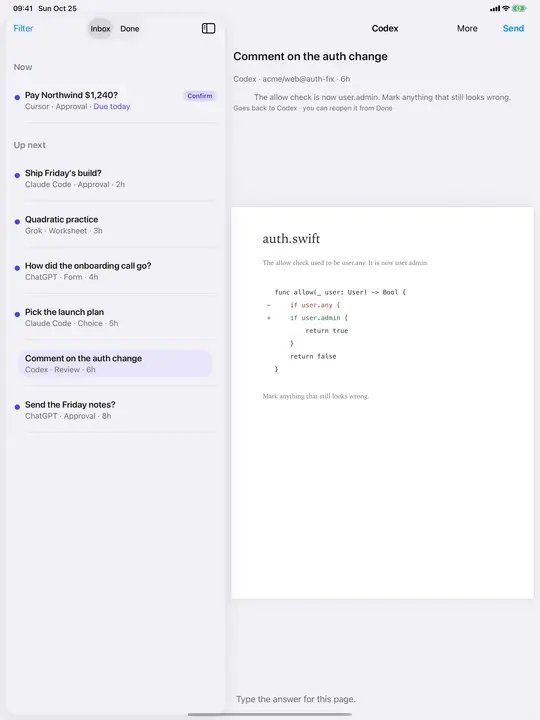
A diff or a draft to read, with room to mark what still looks wrong.
Write or sketch on iPad. The agent gets the page and the recognized handwriting.
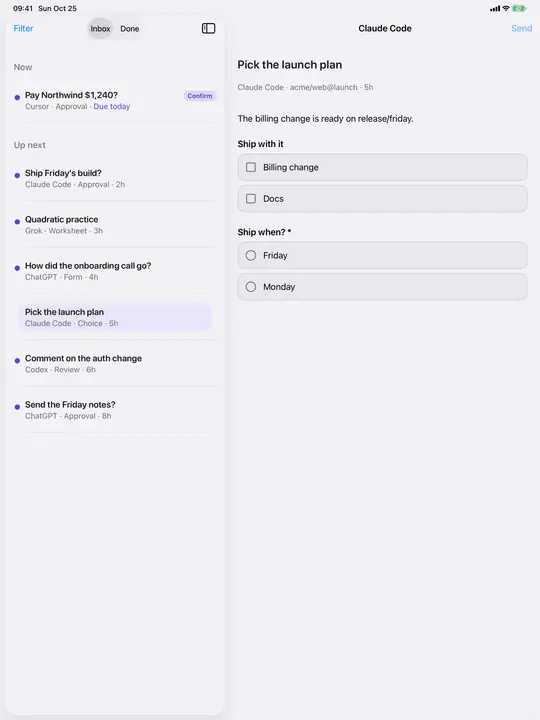
A page the agent composed, with choices you tap.
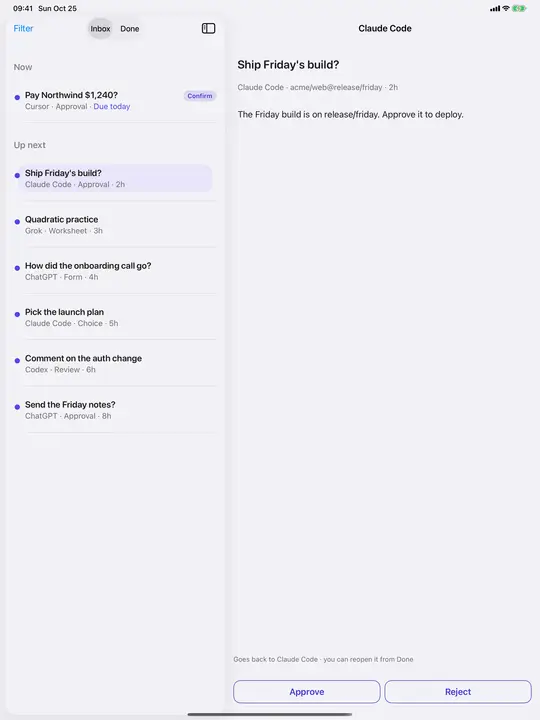
Approvals are one example. The agent says what happens on yes, and nothing is sent, paid, published, signed or deleted until you answer.
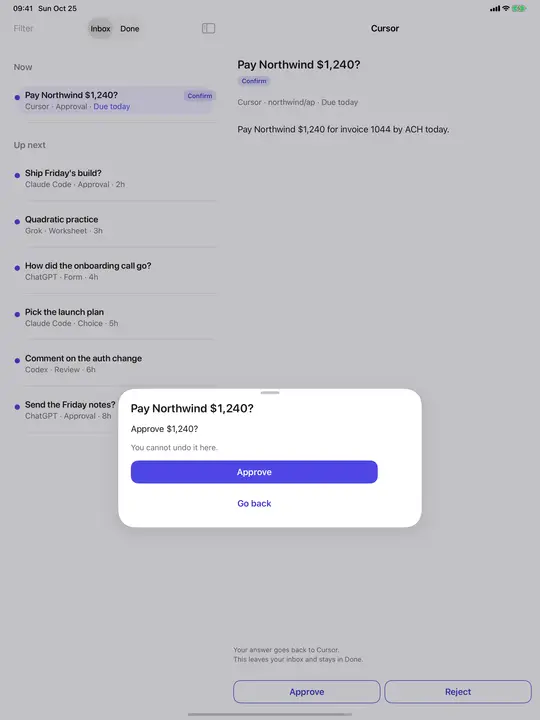
A charge or a refund waits on a confirm sheet until you answer.
Agents can attach images. After you answer, the card stays as a receipt of what you said.
Terminal or chat
The agent drafted the Friday notes and asked before sending.
The question now sits under the draft in one terminal.
The agent stalls until someone opens that window. ▍
The same question is a card on your phone, marked "from ChatGPT". You answer it, and the agent picks up where it stopped.
Add https://invokehumantool.com/mcp to your agent and sign in. Sign-in is OAuth, so no API key goes in the config.
https://invokehumantool.com/mcpIt calls send_handoff with the question and where it came from: client, session, repo, branch and model.
Example
{
  "name": "send_handoff",
  "arguments": {
    "type": "approval",
    "title": "Send the Northwind note?",
    "from_agent": "Cursor",
    "prompt": "The draft tells Northwind the launch is Thursday. Send it?",
    "source": { "repo": "launch-notes", "branch": "main", "model": "example-model" }
  }
}A notification opens the card on your phone. Your answer returns with who answered and how. The agent reads it with wait_for_handoff, or your server gets a webhook.
Example
{
  "answered_by": "you@example.com",
  "via": "reply",
  "answer": "Hold it. Thursday is the internal date. Tell them next Tuesday."
}
Read more: Questions, forms and reviews · Approvals · Handoffs between agents and people · Compare with HumanLayer
Every client uses the same URL. Pick yours in the handoff above, or open the steps here.
A remote MCP server plus an iPhone and iPad app. Any agent, from any provider, can call it through any MCP client, and you answer on your device or on a signed link for that handoff. Approvals are one example. Agents also send questions, forms, reviews and Pencil sketches.
Claude Code, Claude, Codex, Cursor, ChatGPT and Grok Bots. Any client that supports remote MCP with OAuth 2.1 works too. They all use https://invokehumantool.com/mcp.
Yes. An agent can share, delegate or forward a handoff.
HumanLayer's site describes a team workspace for running coding agents. gotoHuman starts from a review template and a local server with an API key. Invoke Human is one URL your existing agents call. See the comparison for sources.
The beta has no price and no checkout. If a fee is ever charged, the pricing page will say so before it applies.
The iPhone and iPad app is on TestFlight for iOS 17 and later. Leave your email and we'll send your invite.